
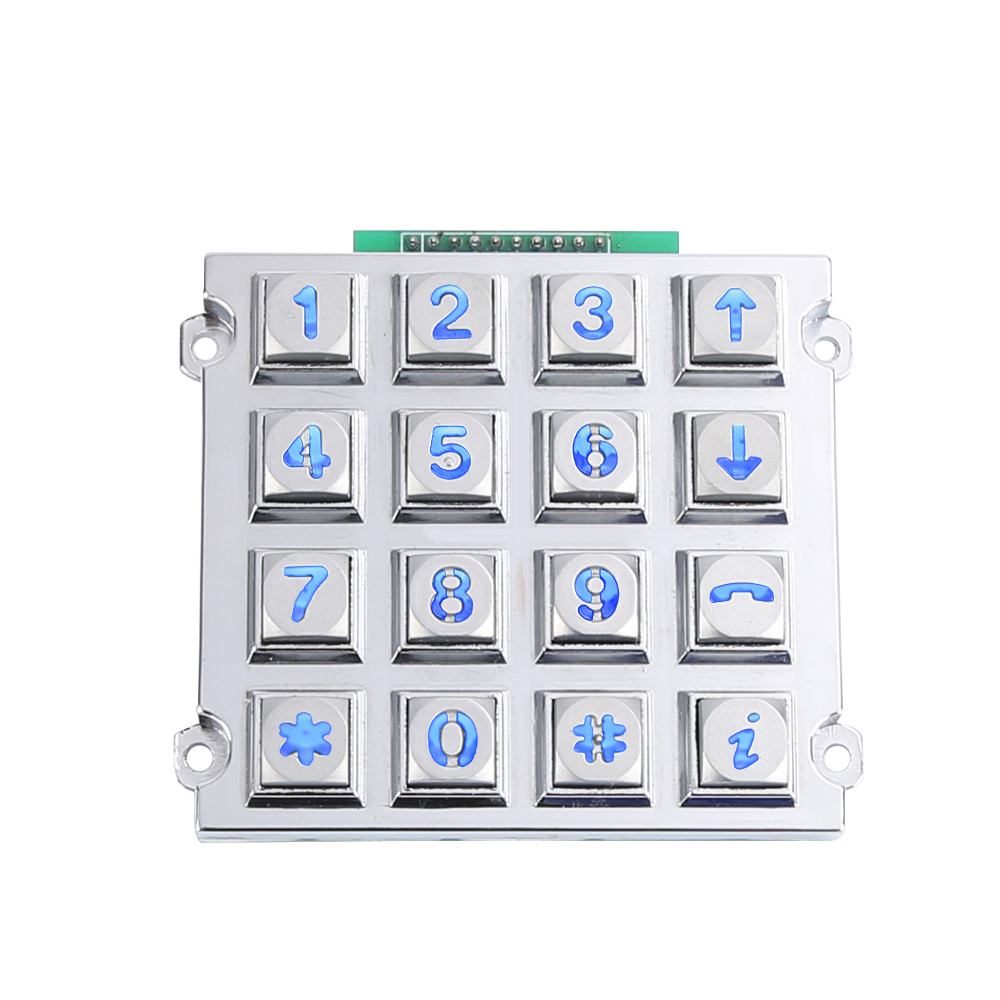
When it comes to choose металлическая клавиатура interface, interface selection depends on system architecture and cabling distance: matrix suits microcontroller-based designs needing direct pin connections, USB fits plug-and-play PCs and kiosks, PS2 works with legacy terminals, RS232 handles short-range serial links, and RS485 supports long-distance, noise-resistant industrial networks. Keypado configures metal keypads across all five interfaces for OEM integration.
What Should You Know Before Choosing an Interface?
Signal type, cable distance, and controller compatibility determine which interface fits an OEM application. Skip this homework and the consequences show up late, usually as a keypad that won’t talk to the host controller or fails after a firmware update. Industrial design engineers save rework hours by mapping requirements before requesting samples.
Получите индивидуальное предложение на металлическую клавиатуру от Keypadov
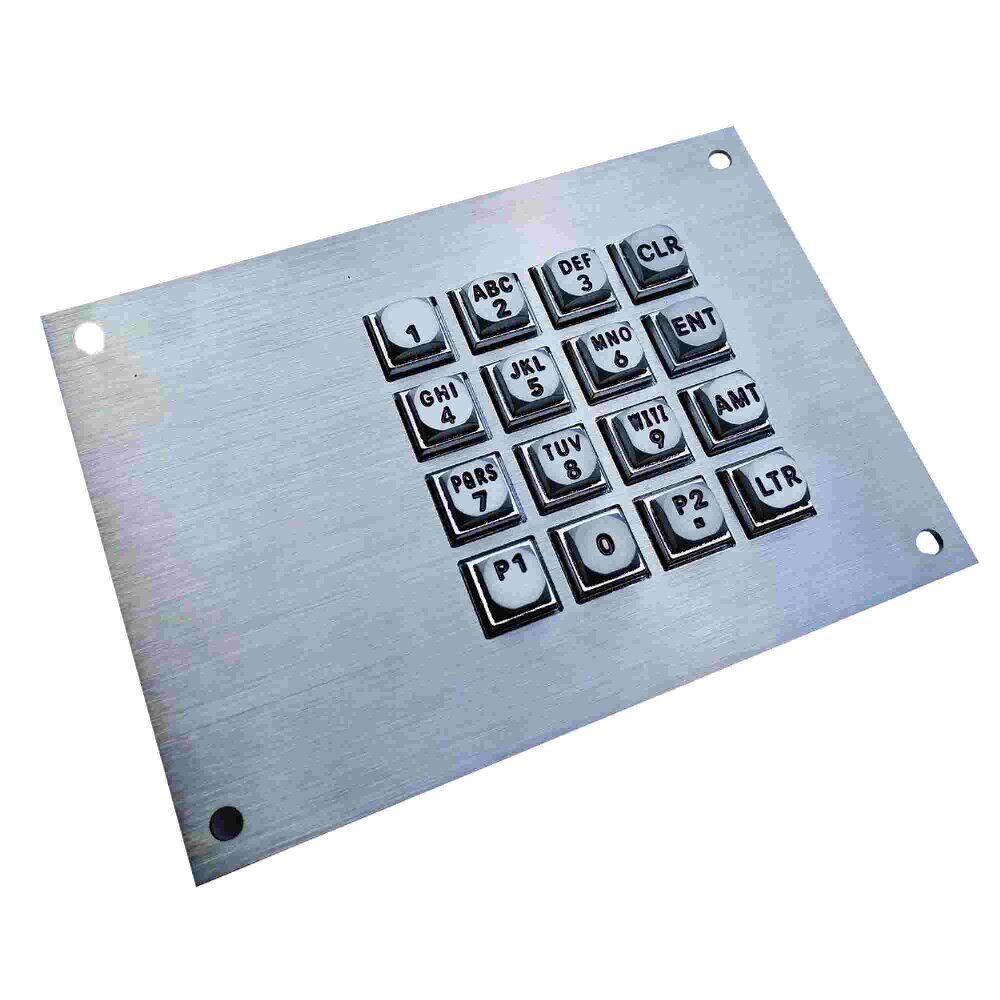
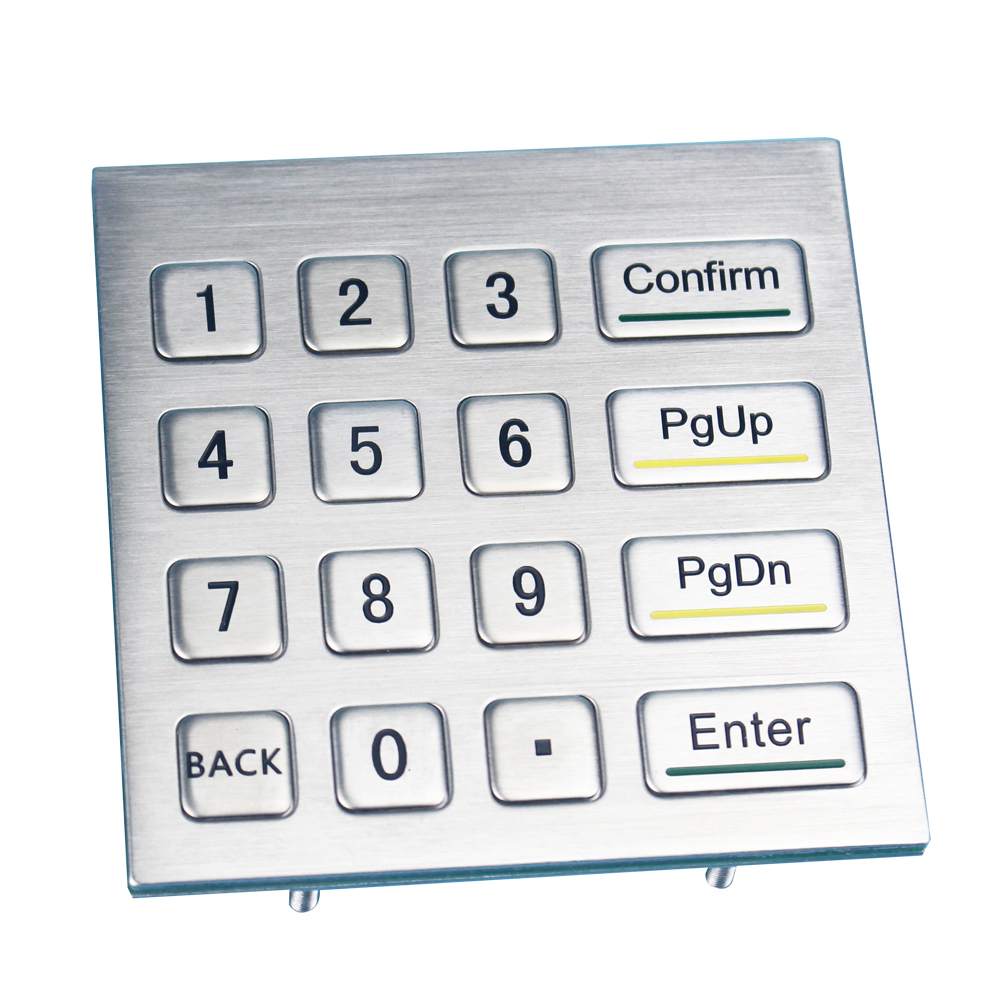
Keypado supplies rugged metal keypads, keyboards, and telephones engineered for OEM equipment in access control systems, lockers, vending machines, and fuel dispensers. Each product line supports flexible layouts alongside multiple interface types. USB, matrix, and PS/2 among them — plus engraving and backlighting options tailored to the application. That range matters because no single connection standard suits every control panel or kiosk design.
What Factors Actually Drive the Interface Decision?
Serial data standards like RS-232, RS-422, and RS-485 differ in their electrical specification, which changes cable length limits and noise resistance. RS-232 works fine for short runs to a single device, while RS-485 handles longer distances and multiple connected loads. Before locking in a choice, engineers should confirm three things:
Communication distance between the keypad and the host system
Number of devices sharing the same data line
Controller architecture, since matrix and dot-matrix connections suit microcontrollers, while USB and PS/2 suit standard computing hardware
Who Can Help Verify the Right Fit?
Keypado operates out of Yuyao, Zhejiang, China, putting OEM hardware developers in direct contact with the factory during interface selection. Procurement engineers avoid the delays that come from working through distributors or resellers. A direct line to the manufacturing source means layout. Interface questions get answered by the people building the hardware, not a middleman.
Which Interface Types Fit Your System?
Four main interface families cover most industrial keypad projects: dot matrix, USB, RS-232, and RS-485. Picking the wrong one costs redesign hours later and forces engineers to bolt on conversion hardware mid-project. Each option trades simplicity against distance, speed, and compatibility with legacy control panels.
Dot matrix connections offer the most direct route into a design. This parallel interface links a metal keypad straight to a microcontroller through a set of pins wired to the controller’s input/output pins. No protocol overhead, no driver stack — just wires and logic. That simplicity makes dot matrix a natural fit for basic industrial input tasks where the keypad talks to one dedicated board.
Is USB still a solid choice for industrial keypads?
Yes. USB remains the go-to interface for connecting keypads to computers, laptops, and other electronic devices. It delivers high-speed data transfer and supports plug-and-play setup, so integrators skip manual driver configuration. Keypado’s keypads ship with USB or matrix output specifically to simplify controller integration, cutting out extra conversion hardware.
What about RS-232 and RS-485 in legacy panels?
Both interfaces predate USB by decades, yet neither has faded from industrial use. RS-232 and RS-485 count among the oldest serial standards in electronics. Both still appear across a wide range of industrial applications today.
Matching interface to existing hardware architecture prevents costly rework down the line.
How Do You Match Interface to Your Environment?
Environmental exposure decides the interface long before wiring diagrams enter the picture. Cable length, panel layout, and outdoor exposure each push the decision toward a different connection type, and getting it wrong costs rework down the line. Engineers who specify metal keypads for kiosks, control panels, or access points need to work through site conditions systematically rather than defaulting to whatever interface a supplier happens to stock.
Получите индивидуальное предложение на металлическую клавиатуру от Keypado
A practical sequence helps narrow the choice:
Assess cable run distance. Short runs inside a single enclosure suit simpler connections; longer runs across a facility favor serial standards built for distance.
Check sealing requirements. Sites with dust or moisture exposure need a keypad rated IP65 or higher, since that sealing level keeps contaminants away from internal components even when a cable routes outdoors.
Confirm panel cutout dimensions. Custom 3×4 or 4×4 matrix layouts let engineers fit a metal keypad interface into existing cutouts without redesigning the enclosure.
Match durability to duty cycle. High-traffic installations call for vandal-proof metal keys engineered to survive millions of presses, a detail worth weighing right alongside the interface itself.
Which Interface Works Best for Long Cable Runs?
RS-232 and RS-485 remain common choices for control panels where keypads sit far from the host controller. Both standards continue to see use across a range of industrial applications, largely because they tolerate longer distances better than simpler parallel connections.
Does Outdoor Exposure Change the Interface Decision?
Outdoor and washdown environments demand attention to sealing, not just wiring type. An IP65+ rated keypad blocks dust and water from reaching internal electronics, protecting whichever interface engineers ultimately select for the installation.
How Do You Validate and Order Samples?
Validation starts with a sample order, not a spec sheet. Procurement engineers who skip physical testing risk discovering wiring mismatches or layout errors only after a production run ships. Keypado’s process exists to catch those problems early, before volume tooling locks in a costly mistake.
The process runs in four stages, each building on the last:
Submit layout and interface requirements. Engineers specify key count, matrix or protocol preference, and mounting constraints upfront.
Request free CAD review. Keypado’s factory-direct engineering support includes a no-cost CAD check, confirming wiring and layout before any part gets cut.
Order a low-MOQ sample batch. Small quantities keep sample costs down while still delivering a fully functional unit for bench testing.
Test against real operating conditions. Integrators mount the sample in an actual enclosure and cycle it through the target protocol to confirm signal integrity and durability.
Получите индивидуальное предложение на металлическую клавиатуру от Keypado
How Long Does Sample Turnaround Take?
Low MOQ samples ship on a 7-day turnaround, a pace built specifically for teams that can’t afford to wait weeks on a full production run. That speed matters when a design cycle is already tight. Engineers can compare two interface options side by side within the same week instead of stretching evaluation across a full quarter.
What Backs the Sample’s Quality?
Every sample batch runs through the same ISO-certified quality control and batch testing applied to full production orders. Consistency matters here — a sample that performs differently than the eventual production unit defeats the purpose of testing in the first place. Batch testing confirms that the sample’s behavior reflects what a finished deployment will deliver, giving procurement teams a reliable basis for sign-off before committing to larger volumes.
What Mistakes Should You Avoid When Choosing?
Four missteps trip up most procurement teams during interface selection: chasing convenience over environmental fit, skipping documentation, locking layouts too early, and ignoring track record. Each one costs time, rework, or field failures down the line.
Is USB always the safest default choice?
Not necessarily. USB delivers fast data transfer and plug-and-play convenience, which makes it tempting for quick integration. But in dusty, wet, or vibration-heavy environments, a sealed matrix interface often holds up better than an exposed USB connector.
What other errors show up during sourcing?
Quality documentation gets overlooked more often than it should. Manufacturers without ISO9001 certification or batch inspection reports leave OEMs guessing about consistency across production runs. Keypado backs its interface performance with both.
Locking in an interface choice before a CAD review invites layout mismatches later. Rugged metal construction only delivers long-term durability when the design is right from the start, which is why reviewing mechanical fit early prevents costly redesigns.
Ignoring supplier track record rounds out the list. A vendor serving 200-plus clients across 30-plus countries has already proven its interfaces work across varied industries and climates. A data point worth weighing before committing to a single supplier’s specs.
Часто задаваемые вопросы
What is the difference between RS-232 and RS-485?
RS-232 handles short-range serial links to a single device. RS-485 supports longer distances, noise-resistant connections, and multiple devices sharing the same data line.
When does a matrix interface make sense?
Matrix connections link a metal keypad directly to a microcontroller through wired pins, with no protocol overhead or driver stack, making them ideal for basic industrial input tasks with one dedicated board.
Why contact Keypado directly for interface selection?
Keypado operates out of Yuyao, Zhejiang, China, giving OEM hardware developers direct contact with the factory, so layout and interface questions get answered by the people building the hardware instead of a middleman.
 English
  Deutsch
  Français
  Polski
  Português do Brasil
  Español
  日本語
日本語  Русский
  العربية
  Italiano
  Nederlands
  Türkçe
  한국어
한국어