
Metal keypad prototype development often takes a few weeks, but the exact timeline depends on complexity, custom layout requirements, interface specifications, and material availability. Simpler designs usually move faster, while fully custom builds take longer; direct factory engineering support and low-MOQ sampling can significantly shorten the path to mass production.
Key Takeaways
- Metal keypad prototype development timelines vary based on complexity, budget, and available material resources.
- Keypado, located in Yuyao, Zhejiang, China, specializes in accelerating product development cycles through rapid prototyping.
- Multiple product development stages from ideation to manufacturing require distinct time allocations and strategic decisions.
- Speed in prototype development directly impacts competitive success in today’s global market environment.
What Do You Need Before Starting?
Keypad prototype development demands upfront clarity on three core requirements before any engineering work begins: layout configuration, interface type, and mounting specifications. Skipping this groundwork stalls the entire process and forces costly rework later.
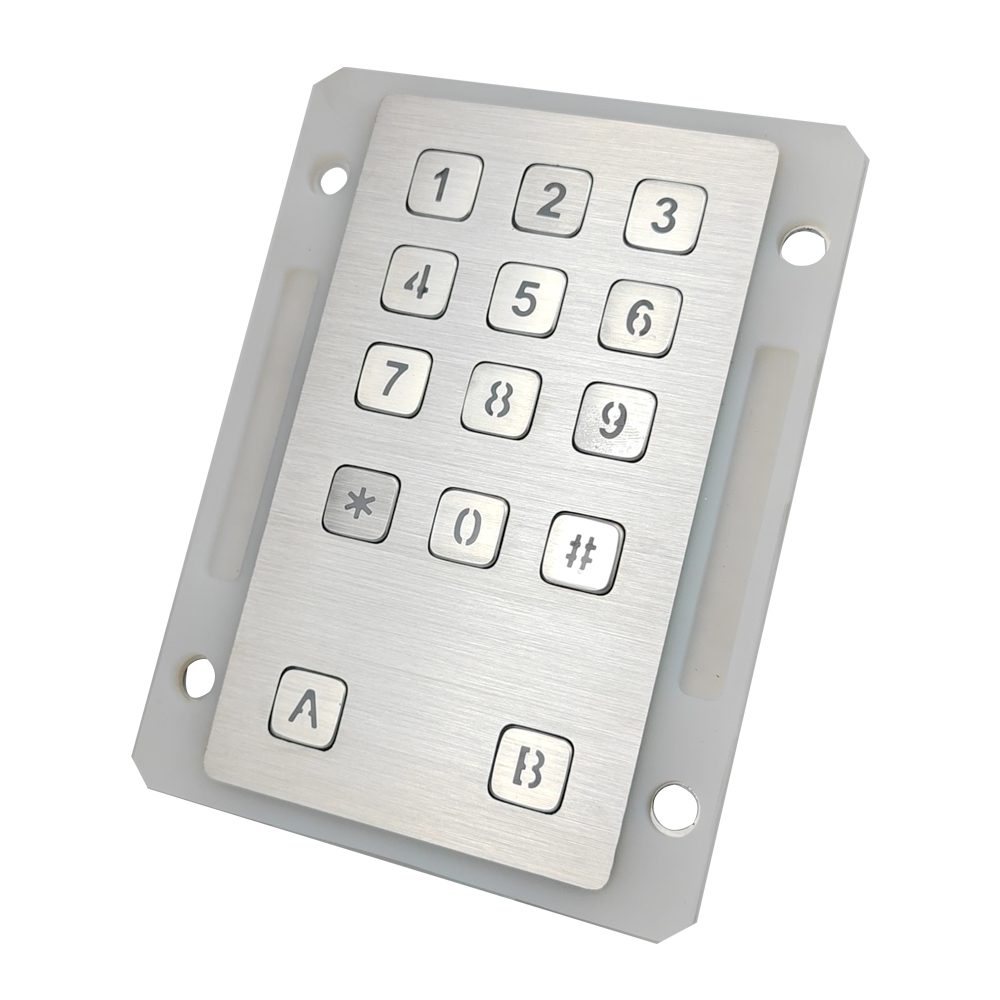
Get a Custom Metal Keypad Quote From Keypado
What Information Should OEMs Gather Before Contacting a Manufacturer?
OEMs need to define their keypad layout (numeric, alphanumeric, or custom function keys), the interface protocol (USB, matrix, or PS/2). How the device mounts into the final enclosure. These decisions shape every downstream engineering choice. Arriving without this clarity adds unnecessary back-and-forth to the sampling phase.
Before reaching out to Keypado, OEMs benefit from preparing the following:
- Define the layout — Determine the key count, arrangement, and any function-specific keys the application requires.
- Specify the interface — Confirm whether the host system needs USB, matrix, or PS/2 communication.
- Document mounting requirements — Note panel cutout dimensions, depth constraints, and IP-rating targets.
- Prepare a rough concept or sketch — Even a basic drawing gives engineers enough to begin a CAD review.
What Is Prototype Development, and Why Does It Matter Before Mass Production?
Prototype development turns a concept or design into a tangible, working model. The prototype stage exists specifically to test usability, design, and functionality before committing to full production tooling. Catching a layout error at the prototype stage costs a fraction of what the same error costs at scale.
Keypado’s factory-direct engineering support means OEMs can arrive with a rough concept. Receive professional input before any tooling investment is made.
How Do You Move From Concept to CAD?
Keypad prototype development begins by translating a raw idea into a precise, workable design specification. Concept and design form the first stage of the process — and skipping steps here costs time and money later in the cycle.
Several factors shape how smoothly this stage runs. Complexity, budget, and available resources all affect the pace of development. A simple numeric layout moves through concept faster than a fully custom panel with backlighting and specialized interfaces. Getting these variables mapped out early keeps the CAD phase on track.
What Information Does an OEM Need Before Starting CAD?
Before any CAD file gets opened, OEMs need to define panel cutout dimensions, key layout, interface type, and mounting requirements. Keypado supports custom 3×4 and 4×4 layouts designed to fit specific panel configurations. Exact cutout measurements must be locked in at this stage. Missing a dimension here triggers revision cycles that push the entire timeline back.
Follow these steps to move from concept to a CAD-ready specification:
- Document the functional requirements — list key count, interface (USB, matrix, or PS/2), and any backlighting or engraving needs.
- Define panel cutout dimensions — confirm the exact space available in the OEM enclosure.
- Select materials and finish — stainless steel, zinc alloy, and surface treatment all affect the CAD geometry.
- Submit the specification for CAD review — Keypado provides free CAD review as part of factory-direct engineering support, removing third-party intermediaries and reducing revision cycles.
Why Does Free CAD Review Matter?
Eliminating a design intermediary shortens the feedback loop between the OEM’s engineering team and the manufacturer. Fewer handoffs mean fewer miscommunications, and faster alignment on the final design specification.
How Long Does the Physical Sample Take?
Keypad prototype development at Keypado runs on a rapid-sampling model built for low-MOQ samples — a timeline that traditional tooling-heavy manufacturing simply cannot match. Rapid prototyping methods compress what once took months into a matter of weeks, saving teams both time and resources compared to conventional approaches.

Get a Custom Metal Keypad Quote From Keypado
The material choice plays a real role in that timeline. Keypads built from stainless steel and zinc alloy require precise machining. Finishing steps that plastic or rubber alternatives skip entirely. That extra work is worth it for durability, but OEM teams should factor it into their planning.
Here’s a straightforward look at what drives the physical sample timeline:
- Confirm the design files. Submit finalized layout drawings and interface specs before machining begins. Incomplete files are the single biggest cause of delays.
- Account for material processing. Stainless steel and zinc alloy components go through CNC machining, surface finishing, and engraving — each step adds precision but requires dedicated time.
- Build in sealing validation. Keypado’s products carry IP65+ ratings, so the prototype stage must include dust and water ingress testing to confirm the seal performs as specified.
- Review the physical sample. Once the sample arrives, OEM engineers should test fit, feel, and interface compatibility before approving production.
What factors make a keypad sample take longer than expected?
Material complexity and sealing requirements are the two most common culprits. Metal construction demands tighter tolerances than softer materials. IP65+ sealing validation adds a verification step that cannot be skipped without risking field failures.
Is a 7-day sample turnaround realistic for custom configurations?
Keypado’s low-MOQ model is specifically designed to support fast sampling even on custom layouts. Teams that submit complete design files upfront give themselves the best chance of hitting that 7-day window without revision cycles eating into the schedule.
How Do You Test and Validate the Prototype?
Testing and validating a prototype is a non-negotiable phase in keypad prototype development. Skipping validation risks costly rework, failed integrations, and missed investor milestones — all of which push launch timelines back significantly.
Testing serves three core purposes: confirming the design works as intended, giving stakeholders evidence to attract investment. Surfacing refinements before mass production locks in the details. Each validation step should be deliberate and documented.
What Tests Should OEMs Run on a Metal Keypad Prototype?
Run these steps in order to cover the full validation scope:
- Mechanical endurance testing — Cycle the keys repeatedly to confirm the vandal-proof metal construction holds up across millions of presses, matching the specification Keypado builds into production units.
- Environmental and IP rating verification — Expose the prototype to moisture, dust, and temperature extremes to confirm the enclosure meets the rated protection level for the target deployment environment.
- Interface compatibility testing — Connect the prototype to the OEM’s controller via each supported output — USB, matrix, and PS/2 — and confirm signal integrity and correct key mapping across all three.
- Layout and ergonomics review — Have end-users or field engineers interact with the physical unit to catch any layout issues that drawings alone wouldn’t reveal.
- Quality inspection against production standards — Evaluate the prototype using the same ISO 9001-aligned criteria and batch inspection benchmarks that Keypado applies to full production runs.
Why Does Interface Testing Matter So Early?
Interface compatibility problems discovered after tooling is finalized are expensive to fix. Confirming USB, matrix, and PS/2 outputs work correctly with the OEM’s controller during the prototype stage eliminates integration surprises downstream. Early interface validation also shortens the overall development cycle by removing a common source of late-stage delays.
What Are the Most Common Prototype Mistakes?
The most common prototype mistakes in keypad prototype development fall into four predictable patterns: rushing the design phase, skipping environmental specs, choosing the wrong supplier, and testing too late. Each mistake compounds the next, turning a manageable revision into a full redesign.
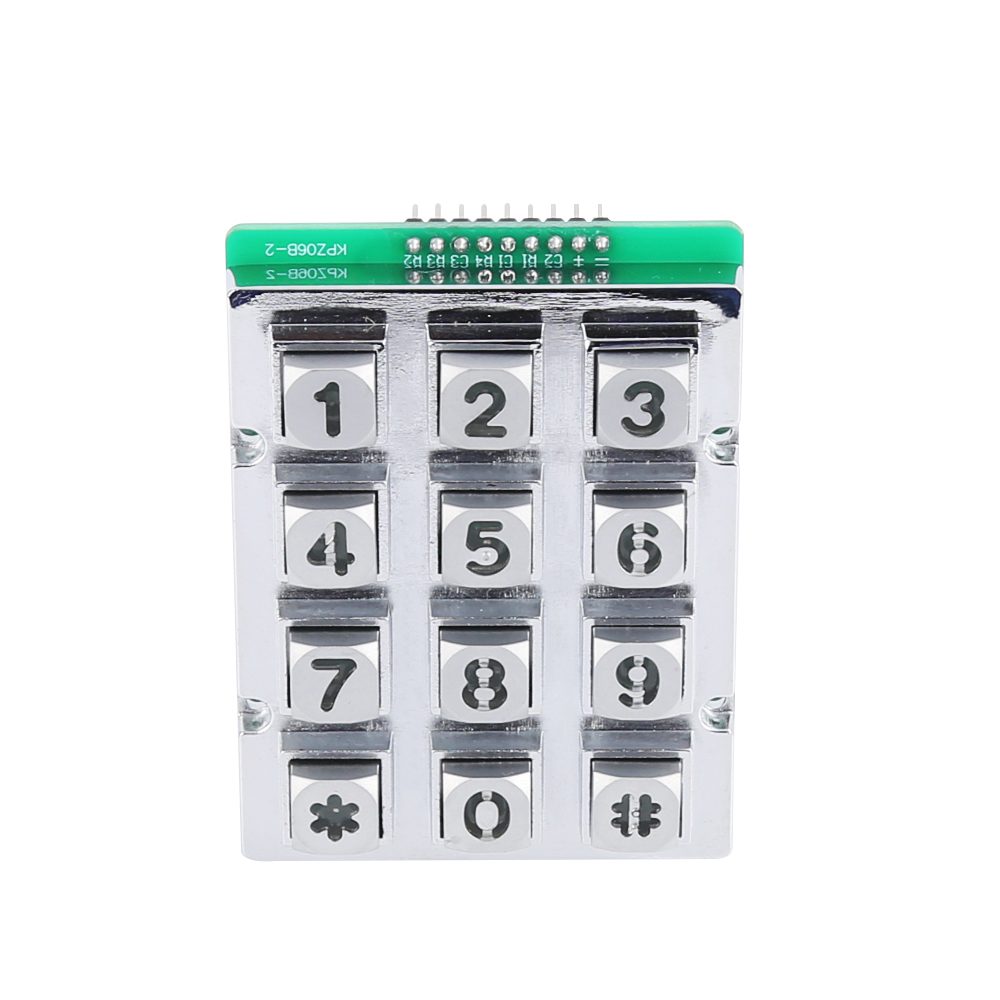
Get a Custom Metal Keypad Quote From Keypado
Why Does Rushing the Design Phase Cause So Many Problems?
Skipping or compressing the concept and design phase is the single most expensive mistake teams make. Unclear specifications at the start multiply errors downstream. What looks like a minor gap in the brief becomes a cascade of costly revisions later. Understanding the full timeline and each stage involved helps OEM teams set realistic expectations before a single part gets machined.
What Happens When Environmental Requirements Are Ignored Upfront?
Failing to specify IP rating requirements before prototyping is a trap that catches even experienced teams. A prototype that passes bench testing can fail completely once environmental testing reveals gaps in sealing. Defining dust and water ingress standards — such as IP65 or higher. At the specification stage prevents a full redesign after the fact.
Here are the most common prototype mistakes, in order of when they typically occur:
- Rush the concept phase — skip it and unclear specs multiply downstream errors.
- Omit IP rating specs — environmental gaps surface only after testing, forcing redesigns.
- Choose a supplier without factory-direct engineering support — intermediary markups slow revision cycles and extend the overall timeline.
- Delay testing until mass production — discovering design flaws at scale is far costlier than catching them during rapid prototyping, when refinement is still fast and low-risk.
So here’s the thing—getting your metal keypad prototype from concept to reality doesn’t have to be a drawn-out process. With the right partner who understands your needs. Has the engineering expertise to back it up, you’re looking at a timeline that actually works for your development schedule. The key is finding someone who treats your project like their own, offers genuine support along the way. Delivers quality you can count on. That’s what makes the difference between a prototype that sits on a shelf and one that launches your product forward.
FAQ
How long does a metal keypad prototype take to develop?
Development takes a matter of weeks, with complexity, budget, and available materials directly influencing the timeline.
Does working with Keypado speed up the prototype development cycle?
Keypado, located in Yuyao, Zhejiang, China, supports fast sampling with low minimum order quantities, which compresses development cycles significantly.
What information do OEMs need before starting the prototype process?
OEMs need to define their keypad layout, interface protocol. Mounting specifications before contacting a manufacturer to avoid costly rework and unnecessary back-and-forth during sampling.
 English
  Deutsch
  Français
  Polski
  Português do Brasil
  Español
  日本語
日本語  Русский
  العربية
  Italiano
  Nederlands
  Türkçe
  한국어
한국어