
When it comes to metal numeric keypad, A numeric keypad is a dedicated grid of number keys—0 through 9, plus math operators—built for fast, one-handed data entry. Standard keyboards place 17 keys on the right side. OEM applications favor rugged metal versions like Keypado’s, engineered for access control, vending, and fuel dispenser terminals requiring vandal-resistant, IP-rated durability.
What Exactly Is a Numeric Keypad?
Ten number keys plus a handful of function keys make up a numeric keypad, arranged in a calculator-style block. Most keyboards tuck this cluster on the far right side, separate from the main number row up top. That placement isn’t random — it puts every digit within reach of one hand.
Get a Custom Numeric Keypad Quote From Keypado
Speed is the whole point. A numeric keypad lets someone punch in figures with a single hand, instead of stretching both hands across the top row every time a digit shows up. For anyone entering long strings of numbers — invoice totals, access codes, inventory counts. That difference adds up fast over a workday.
Lenovo’s definition backs this up in plain terms: a numeric keypad is simply a set of keys on a computer or device built to make number entry quick and painless. Strip away the technical language, and that’s the whole job description. Fast digits, minimal fuss.
Is a Numeric Keypad the Same as a Number Pad?
Yes — numeric keypad, number pad, numpad, and ten key all describe the same calculator-style key cluster. The names differ by region and habit, not by function. Whichever term gets used, the layout and purpose stay identical.
Why Does One-Hand Entry Matter for Equipment Design?
One-hand entry frees the other hand for a card, a tool, or a second control on the same panel. For OEMs building access panels, lockers, or kiosk terminals, that hands-free flexibility shapes real design decisions. A metal numeric keypad brings that same calculator-style layout into rugged, field-ready hardware, built for environments where a standard keyboard keypad would fail within weeks.
How Is the Numeric Keypad Layout Arranged?
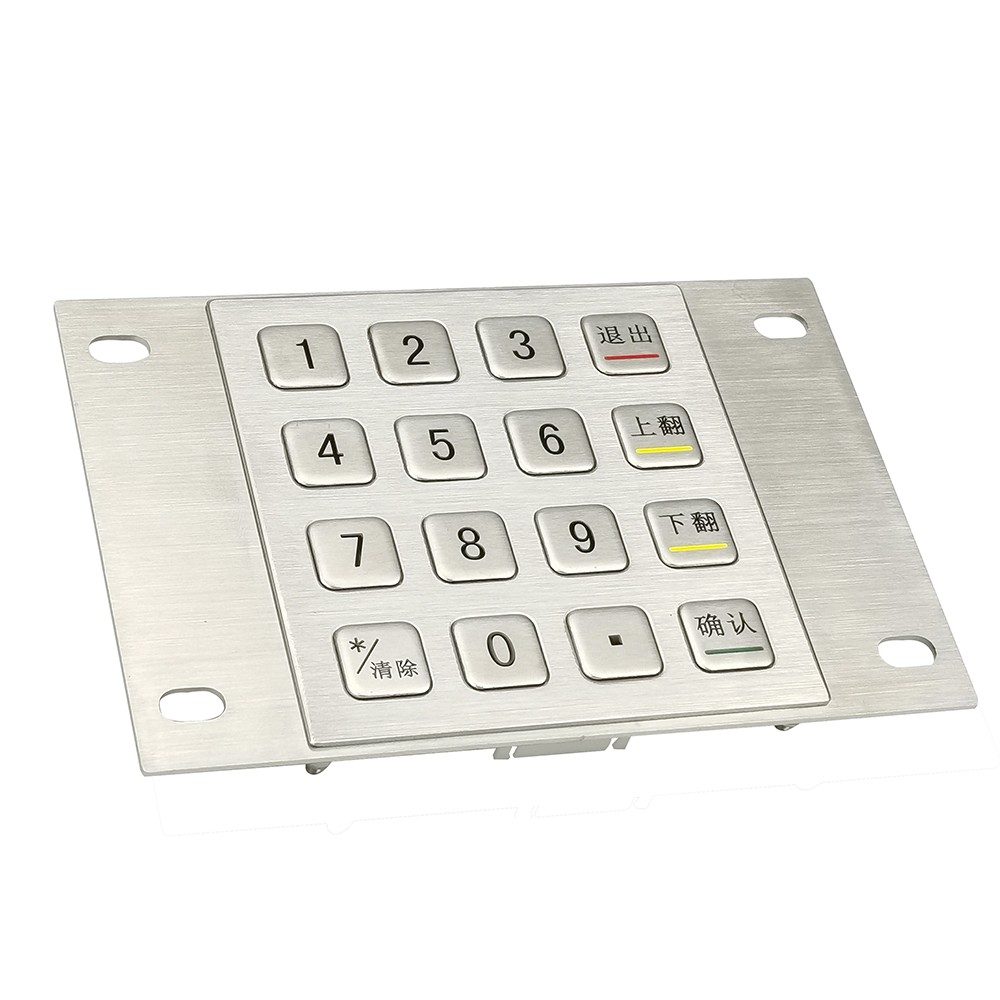
Numeric keypads follow a calculator-style grid: four rows tall, three columns wide. That arrangement isn’t random — it’s a layout standard that’s shaped how millions of people enter numbers by feel, not sight, for decades.
The top three rows carry the digits in a set order:
Row 1: 1, 2, 3
Row 2: 4, 5, 6
Row 3: 7, 8, 9
Row 4: additional keys, varying by device
Anyone who’s used a calculator, an ATM, or a metal numeric keypad on a door lock has muscle memory for this grid, even without realizing it. That consistency matters for OEMs designing kiosks, access panels, or vending terminals. Operators expect the same finger placement no matter whose equipment they’re using.
Why does the 5 key have a bump on it?
The number 5, sitting dead center in the grid, usually carries a small raised dot. That tactile marker lets a user’s finger find home position without glancing down at the keys. For industrial and access-control applications. Operators often work in low light, gloved, or focused elsewhere, that raised dot isn’t a minor detail. It’s what keeps data entry fast and accurate.
Does every keypad follow this exact layout?
The core 1-through-9 grid stays consistent across calculators, phones, and keyboards, though the bottom row varies by device and purpose. Some devices place zero centered on the bottom row; others add function keys like enter or clear. For engineers specifying custom layouts, that bottom row is typically where the real customization happens. The top nine digits stay fixed to match user expectations.
Where Do You Actually Use a Numeric Keypad?
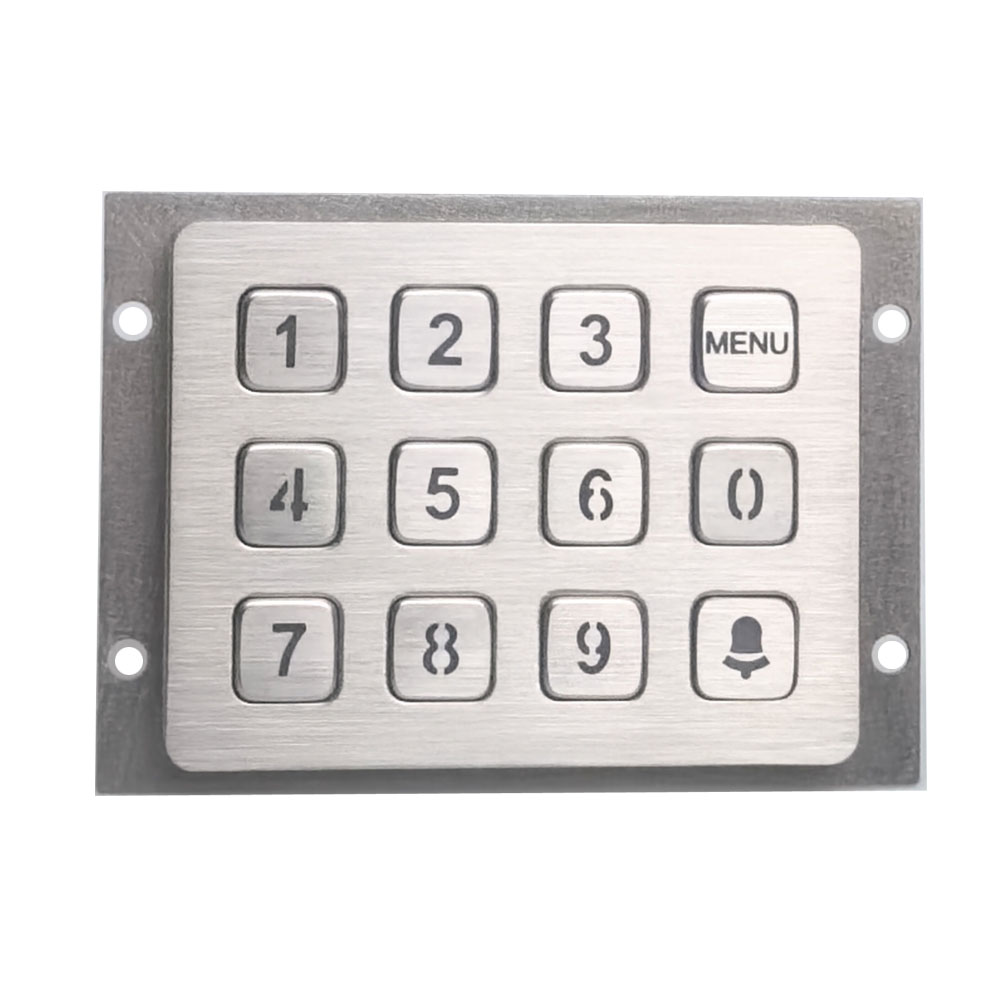
Vending machines, ATMs, safes, and door locks all rely on numeric input to function. So does the checkout counter at a convenience store and the keypad on a hotel room lock. Numbers drive countless everyday transactions, and each one needs a dependable set of keys behind it.
Get a Custom Numeric Keypad Quote From Keypado
Calculators started the trend, but the arrangement spread far beyond desktops. Push-button telephones, television remotes, point-of-sale terminals, combination locks, and digital door locks all carry some version of the same numeric grid. Most of these layouts follow the E.161 telephone-style standard, which explains why a phone keypad and a door lock keypad often feel oddly familiar to use.
Why Do So Many Devices Use the Same Layout?
Standardization removes guesswork. When manufacturers follow E.161, users can move from a phone to an ATM to a keypad lock without relearning where the numbers sit. That consistency matters even more in industrial and access-control settings. A mistyped digit means a denied entry or a failed transaction.
Equipment built for harsh environments needs more than a familiar layout, though. It needs keys that survive years of outdoor exposure, vandalism attempts, and constant pressing. Keypado addresses exactly that gap, supplying a rugged metal numeric keypad built for demanding OEM applications, including:
Access control systems at building entrances and secure facilities
Storage lockers in gyms, transit stations, and delivery hubs
Vending machines exposed to weather and heavy foot traffic
Fuel dispensers at self-service stations
Does Field Experience Really Matter for Keypad Reliability?
Reliability shows up over time, not in a spec sheet. Keypado’s input devices carry a track record across deployments exceeding 100,000 units, giving equipment OEMs a tested foundation rather than an unproven design.
Why Choose a Metal Numeric Keypad for Harsh Environments?
Harsh environments demand hardware that outlasts weather, vandalism, and constant use. A metal numeric keypad answers that demand through solid metal construction, engineered specifically for vandal-proof, IP-rated durability that plastic keypads simply can’t match outdoors or in high-traffic public settings. Where a plastic housing cracks or warps, metal holds its shape and keeps working.
Durability shows up most clearly in the keys themselves. Vandal-proof metal keys withstand millions of presses without failing, a critical factor for equipment specifiers designing kiosks, lockers, or access panels that see heavy daily use. Fewer failed keys mean fewer service calls and less downtime for the OEM systems built around them.
Does a metal keypad actually keep out dust and water?
Yes — sealing rated IP65 or higher blocks dust and water from reaching the internal components. That sealing matters most for outdoor installations like fuel dispensers or vending machines. Rain, dust storms, and temperature swings are routine, not exceptional. Integrators specifying equipment for exposed locations get a housing built to shrug off the elements instead of failing after one bad season.
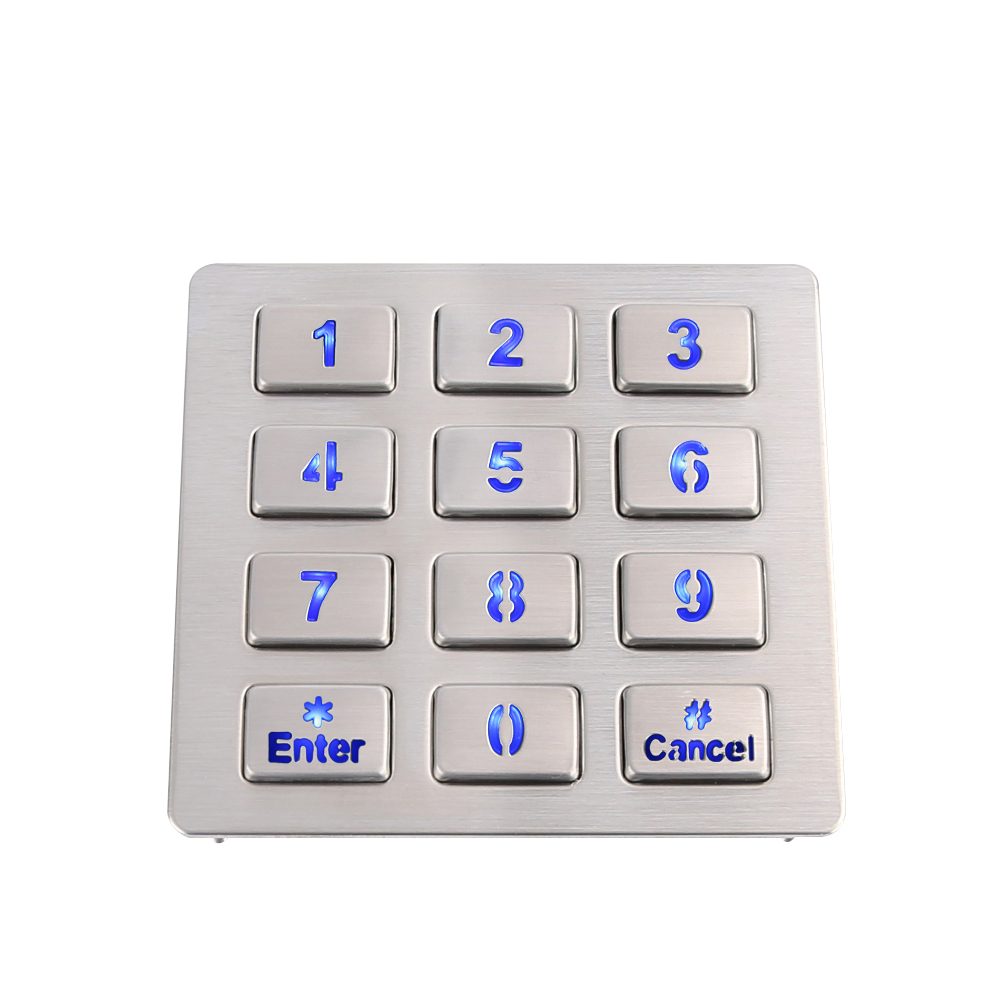
Fit and integration matter just as much as ruggedness. Custom 3×4 or 4×4 key layouts get sized to match an OEM’s specific panel cutout. Retrofits and new builds both stay simple. Keypads also connect through USB or matrix output, making wiring into existing controllers straightforward rather than a redesign project.
Design engineers weighing keypad options for demanding equipment can compare the core advantages at a glance:
For equipment expected to run for years without a service visit, metal construction isn’t an upgrade — it’s the baseline requirement.
What Should You Look for When Specifying One?
Specification success starts with flexibility, not a catalog part number. Equipment OEMs and design engineers get the best results when a supplier builds around the application instead of forcing the application to fit a fixed product. A metal numeric keypad designed for a locker system, for instance, needs different sealing and key travel than one built for a fuel dispenser.
Custom layouts, connector interfaces, and engraving options matter more than most spec sheets suggest. A supplier locked into one fixed design forces integrators to redesign enclosures or wiring around parts that don’t quite fit. Keypado works the opposite way, tailoring layouts, interfaces, and engraving to the equipment rather than the other way around.
Get a Custom Numeric Keypad Quote From Keypado
How Fast Can Sampling Happen?
Pilot runs live or die on turnaround time. Low minimum order quantities paired with roughly a 7-day sample turnaround let integrators test fit and function before committing to full production, which keeps development timelines tight and reduces wasted engineering cycles.
Does Manufacturing Location Affect Reliability?
Production location shapes lead time, quality control access, and communication with engineering teams. Keypado’s factory sits in Yuyao, Zhejiang, China. Design review and manufacturing happen under one roof rather than through layered intermediaries.
Beyond location, a track record counts for a lot. A manufacturer serving more than 200 clients worldwide has already worked through the edge cases that trip up newer suppliers.
Three things worth confirming before signing off on a spec:
Customization depth — layouts, interfaces, and engraving built to the application
Sampling speed — low MOQs and fast turnaround for pilot testing
Delivery consistency — on-time production that protects launch schedules
So here’s the thing—numeric keypads are everywhere, quietly doing their job in places you probably don’t think about until you need them. Whether it’s punching in a code at the gym, ordering a ticket, or controlling industrial equipment in tough conditions, these straightforward input devices keep things running smoothly. They’re reliable, durable, and built to handle whatever gets thrown at them. Understanding what they do and why they matter gives you a real appreciation for the engineering that goes into keeping our everyday systems ticking.
FAQ
What is a numeric keypad?
A numeric keypad is a calculator-style grid of number keys, 0 through 9, plus math operators, built for fast, one-handed data entry. Keypado builds rugged metal versions for access control, vending, and fuel dispenser terminals.
What is a numeric keypad used for?
A numeric keypad enables quick entry of figures like invoice totals, access codes, and inventory counts using one hand. This frees the other hand for a card, tool, or second control on equipment panels.
Is a numeric keypad the same as a number pad?
Yes, numeric keypad, number pad, numpad, and ten key all describe the same calculator-style key cluster. The names differ by region and habit, but the layout and purpose stay identical.
 English
  Deutsch
  Français
  Polski
  Português do Brasil
  Español
  日本語
日本語  Русский
  العربية
  Italiano
  Nederlands
  Türkçe
  한국어
한국어