
Metal keypads from Keypado connect to HMIs and control panels through standard interfaces like USB, PS/2, and matrix wiring, sending keypress signals directly to the controller’s input board. This wired connection supports custom layouts and engraving, letting OEMs integrate rugged, IP-rated keypads into large-scale deployments without added middleware or translation layers.
What Do You Need Before Wiring a Metal Keypad?
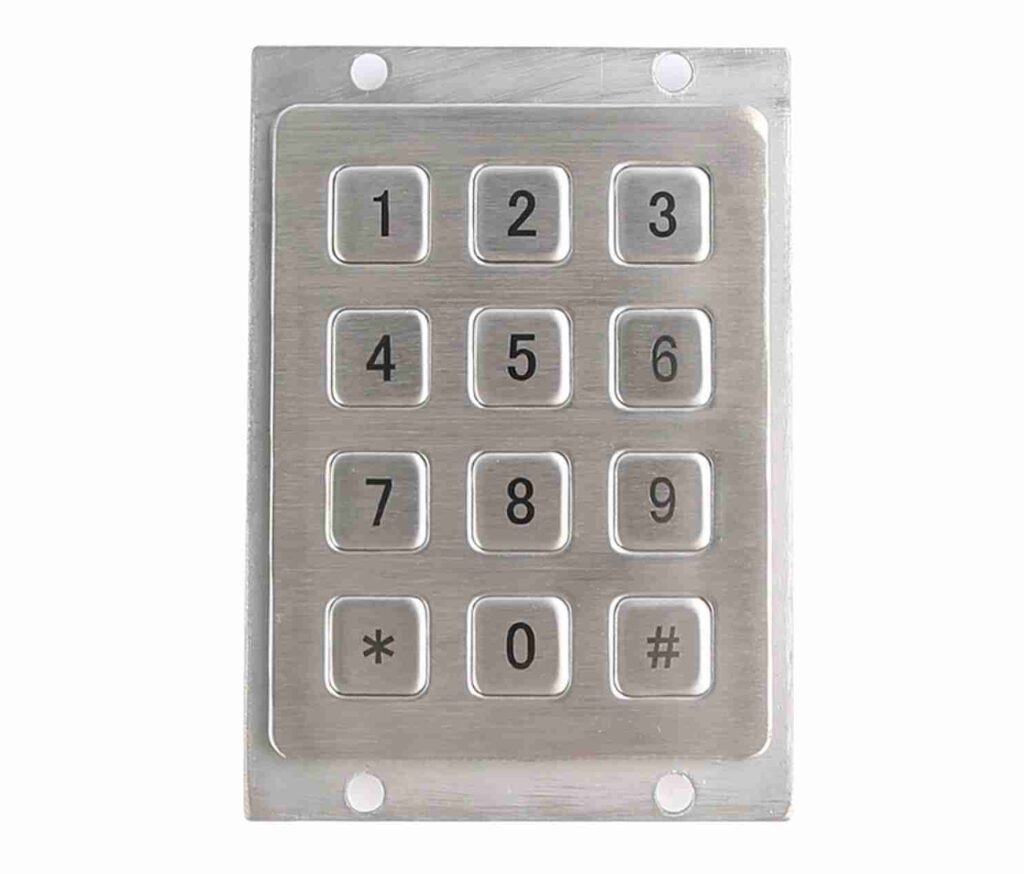
Four things matter before any wire touches a terminal: the equipment class, the layout, the output interface, and the downstream controller. Skipping this prep costs integration time later and forces rework on panels already in production. Keypado builds rugged metal keypads for access control systems, lockers, vending machines, and fuel dispensers. The exact equipment categories where reliable metal keypad communication between the input device. The control system determines whether a unit survives years of field use.
Get a Custom Metal Keypad Quote From Keypado
Design engineers should confirm layout and interface needs first. Custom layouts, connector types, and engraving options exist so the keypad matches a panel’s electrical and physical specs before integration starts, not after. Getting this sequence backward means redesigning brackets or rewriting firmware once the hardware arrives.
What Output Interface Should the Keypad Use?
USB and matrix output options come built in, giving engineers a straightforward path into most controller architectures. Matrix wiring suits PLC-based systems that scan rows and columns directly. USB suits panels built around embedded computers or HMI touchscreens.
Where Does the Keypad Signal Actually Go?
Keypad output typically feeds one of two destinations. A Human-Machine Interface acts as the dashboard connecting an operator to the underlying machine or system, translating raw button presses into visible commands. A Programmable Logic Controller, by contrast, runs as the industrial computer executing real-time control logic, making it the usual endpoint when a keypad reports directly into automation infrastructure.
Before specifying hardware, engineers should:
Identify the equipment class (access control, locker bank, vending unit, or fuel dispenser).
Confirm required layout and engraving.
Choose USB or matrix output based on the controller.
Verify whether the signal terminates at an HMI or a PLC.
How Does Keypad Matrix Wiring Reach the Controller?
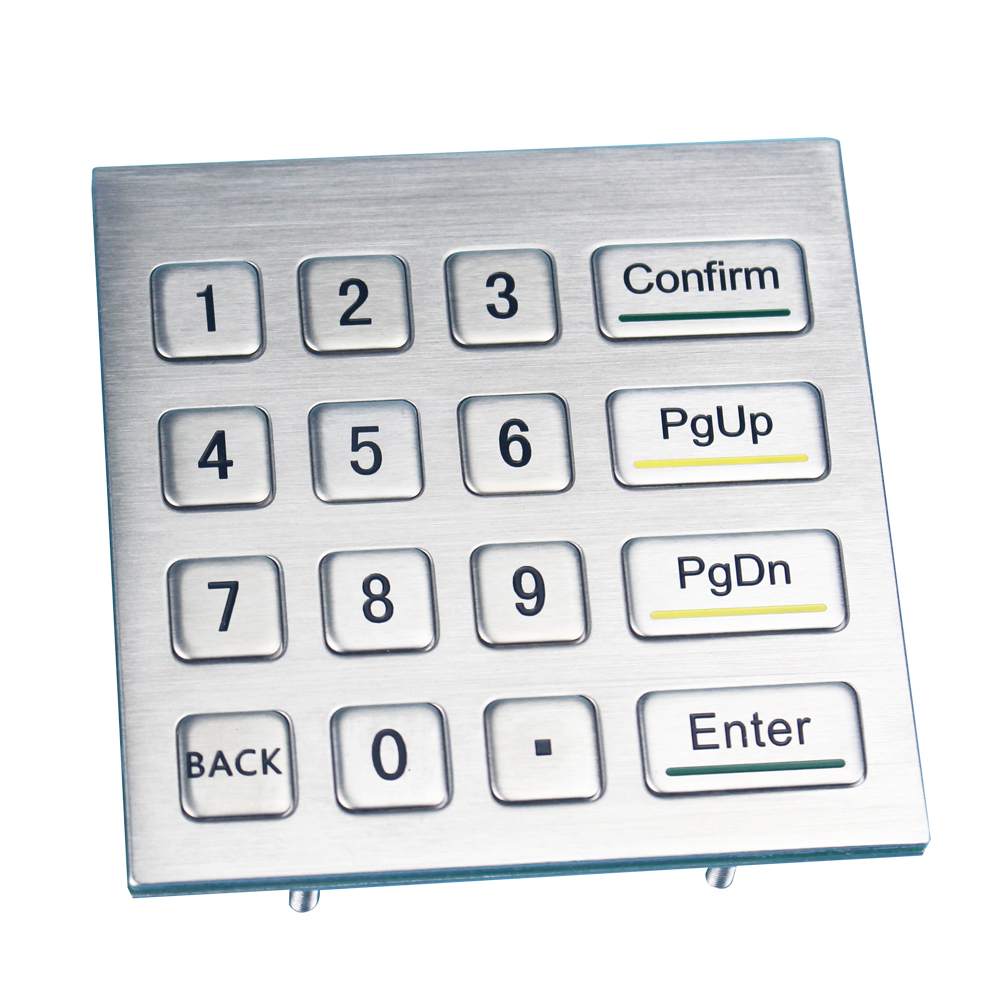
Signals travel from a metal keypad communication layout to the controller through a grid of rows. Columns, not a dedicated wire for every key. Standard practice connects the columns to the controller’s outputs and the rows to its inputs. That simple split forms the backbone of matrix wiring, and it’s the step every integration plan should start from.
Once the wiring lands correctly, detection comes down to a repeating scan. Here’s the sequence a controller follows:
Set an output signal on the first column.
Check every row input for a change of state.
Move to the next column and repeat the check.
Cycle continuously through all columns, watching for a matched row-column pair.
Register a keypress the instant a row input responds while its column is active.
This cycling happens fast enough that a quick tap rarely gets missed, even on modest-speed controllers.
Get a Custom Metal Keypad Quote From Keypado
What layout options work best for panel integration?
Panel space is often tight, and swapping a whole enclosure isn’t realistic mid-project. Keypado builds keypads in custom 3×4 and 4×4 layouts sized to match existing panel cutouts. Engineers avoid redesigning the housing just to add input capability.
Does matrix output complicate controller integration?
Not when the wiring plan is settled first. Keypado’s matrix output is built for straightforward controller integration, meaning the column-row logic above maps directly onto standard PLC or embedded I/O without custom translation layers. Design engineers still need to confirm input/output assignments on their side, but the keypad’s output structure won’t be the bottleneck.
Getting the row-column relationship right early saves rework later — a mislabeled row or column means phantom keypresses. Missed input, and that’s a hard bug to chase down after the panel is sealed.
How Fast Does the Keypad Signal Register?
Registration speed depends on scan cycle design, not raw hardware alone. A correctly programmed matrix scan catches a fast button press with no missed input, even on modest controllers. Speed comes down to how the columns and rows get polled, and how consistently that polling happens.
Matrix-style metal keypad communication works by cycling through columns while checking row states for a closed connection. Programs don’t need to be complex to keep pace. A lean scan routine cycles fast enough to register a quick tap without dropping it. For engineers who need tighter timing control, PLCs that support interrupts offer a cleaner path: interrupts force column scans to run on a consistent rate, removing the guesswork that comes from variable program load.
What Makes Signal Timing Reliable Over Years of Use?
Consistency matters as much as raw speed. Keypado’s keypads use vandal-proof metal keys engineered to withstand millions of presses. The physical contact stays reliable long after installation. That durability protects the timing integrity of the scan itself. A worn or intermittent contact throws off signal registration no matter how well the polling logic runs.
Keypado backs that physical durability with fast sampling and on-time delivery, supported by ISO-certified quality control and batch testing. That combination matters for integrators specifying panels for continuous industrial duty:
Scan-cycle design determines whether fast presses get missed or caught
Interrupt-driven scanning tightens timing consistency on supported PLCs
Millions-of-presses key life keeps contact quality — and signal accuracy — stable over years
Batch-tested sampling gives engineers confidence that timing behavior stays consistent unit to unit
For control panel specifications where missed input isn’t an option, pairing solid scan logic with durable, tested key hardware is the difference between a keypad that performs on day one and one that still performs after years of field cycles.
How Does the HMI Display Keypad Input?
Signal travels from the physical keys to a graphical screen that translates raw presses into readable data. An HMI (human-machine interface) works as a dashboard connecting the operator to the machine, showing what the keypad reports in real time. Design engineers specifying panel hardware need to understand this handoff. A weak link at the keypad stage undermines everything downstream.
Picture the HMI screen as a translator sitting between the operator and the complex machinery being commanded. Every keystroke gets converted into an instruction the machine understands, then displayed back so the operator can confirm the action registered correctly. That feedback loop matters most in environments where a missed press means a stalled process line or a locked-out access point.
Get a Custom Metal Keypad Quote From Keypado
Why does the keypad’s build quality affect HMI reliability?
Signal integrity depends on the input device staying sealed against the elements. Keypado’s metal keypad communication hardware carries IP65+ sealing against dust. Water ingress, protecting the connection that feeds signal to the HMI even in wash-down or outdoor settings. A corroded contact or moisture-damaged switch sends garbled or missing data upstream, no matter how well the display software performs.
What interface options connect a keypad to an HMI system?
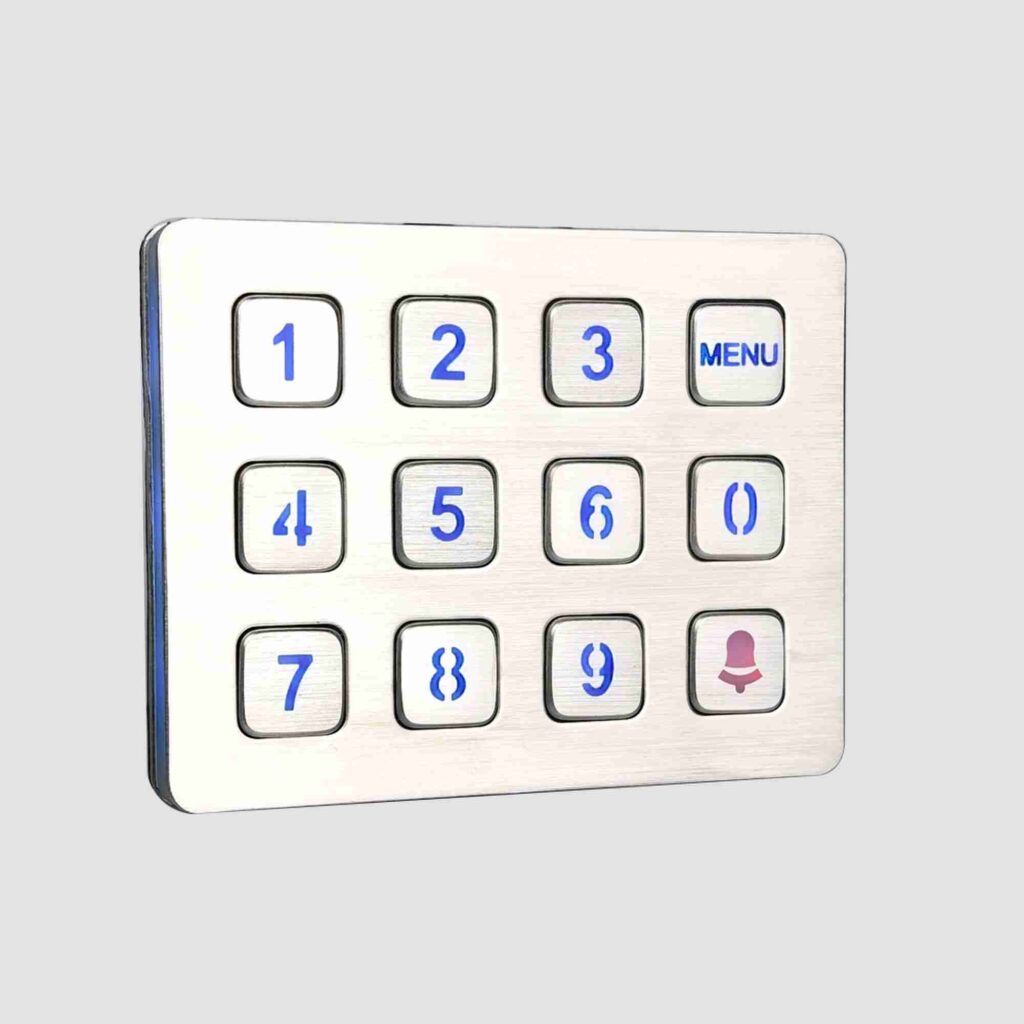
Integrators need flexibility in how hardware talks to the display layer. Keypado supplies vandal-resistant, IP-rated keypads with configurable layouts and multiple interface types, including USB, matrix, and PS/2 wiring.
USB for plug-and-play integration with modern HMI controllers
Matrix wiring for direct PLC scanning setups
PS/2 for legacy panel compatibility
Custom engraving, backlighting, and mounting options for a clean panel fit
That range lets engineers match the keypad to whatever protocol the HMI already runs, cutting redesign time and keeping field reliability consistent across deployments.
What Mistakes Slow Down Keypad Integration?
Three errors repeatedly delay control panel projects: skipping sample validation, picking a slow supplier, and underestimating build quality. Each mistake costs engineering teams weeks of rework once a full production batch reveals a wiring or durability flaw that a smarter process would have caught early.
Why does skipping sample testing cause delays?
Jumping straight to full production without validating wiring first is the most common trap design teams fall into. Keypado addresses this by supporting low minimum order quantities for sample runs, with a 7-day turnaround that lets engineers confirm matrix wiring and interface compatibility before committing to volume manufacturing.
Does supplier selection actually affect timelines?
Yes — a vendor without fast sampling and dependable on-time delivery stalls prototyping schedules before a design even reaches testing. Integration teams working against product launch deadlines need a partner who ships samples quickly and hits committed dates consistently. Keypado’s track record serving over 200 clients across varied control panel designs reflects experience navigating exactly these deadline pressures.
Two other factors deserve attention:
Ignoring factory-direct engineering support. Keypado, based in Yuyao, Zhejiang, China, offers direct engineering collaboration for OEMs troubleshooting layout or wiring problems, cutting out delays caused by working through intermediaries.
Underrating build material. Choosing a metal keypad communication interface over lower-grade alternatives prevents premature key failure in vandal-prone or outdoor installations, since Keypado’s metal construction delivers vandal-proof, IP-rated durability suited to harsh field conditions.
So here’s the thing—metal keypads aren’t just tough input devices. They’re the reliable bridge between your operators and the machines they control. Whether it’s matrix wiring, USB connectivity, or custom interfaces, these rugged devices translate physical key presses into digital commands that keep your systems running smoothly in the harshest environments. When you choose a metal keypad built for durability and precision, you’re investing in equipment that communicates clearly, performs consistently, and stands the test of time.
FAQ
What interfaces do metal keypads use to connect with an HMI or control panel?
Metal keypads connect through USB, PS/2, or matrix wiring, sending keypress signals directly to the controller’s input board without added middleware or translation layers.
What should engineers confirm before wiring a metal keypad?
Engineers confirm the equipment class, layout, output interface, and downstream controller first, since skipping this prep forces panel rework and rewiring once hardware arrives.
How does the controller detect a keypress in a matrix-wired keypad?
The controller cycles an output signal through each column while scanning every row for a change of state, registering a keypress when a row responds while its column is active.
 English
  Deutsch
  Français
  Polski
  Português do Brasil
  Español
  日本語
日本語  Русский
  العربية
  Italiano
  Nederlands
  Türkçe
  한국어
한국어