
Effective layouts group numeric keys, function keys, and emergency controls into distinct zones for fast recognition under stress. Keypado engineers custom metal keypads with tactile separation, color-coded emergency buttons, and flexible matrix or USB interfaces, letting OEMs configure numeric pads, function rows, and dedicated emergency-stop keys for access control, kiosks
Why does keypad layout design matter for OEMs?
Key placement determines how fast and how accurately an operator completes a task. Keypad layout design encompasses the physical, visual, and functional arrangement of keys, legends, and mapping on a device. All elements influence the interaction between operator and machine. Get that arrangement wrong, and an OEM inherits support calls, field failures, and rework costs that a better panel would have avoided from day one.
Get a Custom Metal Keypad Quote From Keypado
Industrial environments raise the stakes further. A fuel dispenser or access control panel doesn’t get the luxury of a redesign once it ships to hundreds of sites. Layout mistakes discovered post-launch mean retrofits, warranty claims, and frustrated end users — all avoidable with proper planning upfront.
What makes an industrial keypad layout different from a consumer one?
Consumer keyboards prioritize typing speed and comfort. Industrial panels prioritize operator certainty under gloves, glare, vibration, or low light, so key spacing, legend contrast, and tactile feedback carry more weight than aesthetics.
Keypado addresses this gap by building custom layouts, interfaces, and engraving so each panel matches its exact application rather than forcing a generic template onto specialized equipment. That customization spans:
Layout geometry — key count, spacing, and grouping tailored to the task
Interface options — USB, matrix, or PS/2 wiring built to the OEM’s existing architecture
Engraving and legends — symbols and text matched to operator expectations
For applications like kiosks and lockers, Keypado’s compact numeric and function keypads use stainless steel or zinc alloy construction, keeping input secure even under repeated public use. That same rugged-metal philosophy extends across Keypado’s keypads, keyboards, and telephones, which serve access control systems, lockers, vending machines, and fuel dispensers where equipment failure simply isn’t an option.
How should numeric keys be arranged for speed?
Speed comes from matching key order to the operator’s actual workflow, not from copying a generic phone or calculator grid. Standard layouts differ by writing system, language, and use case, and a numeric panel bolted onto a fuel dispenser demands a different logic than one built into a locker or access-control terminal. Operators who scan digits quickly need the most-used keys — usually 0 through 9 plus enter or clear. Placed where a thumb or finger lands naturally, without a reach.
That reach question matters more than it seems. Even a standard number row can be hard to reach for people with smaller hands. Industrial settings add gloves, panel angles, and awkward mounting heights on top of that. Keypad layout design for speed has to account for hand size variation across a workforce, not just an average user.
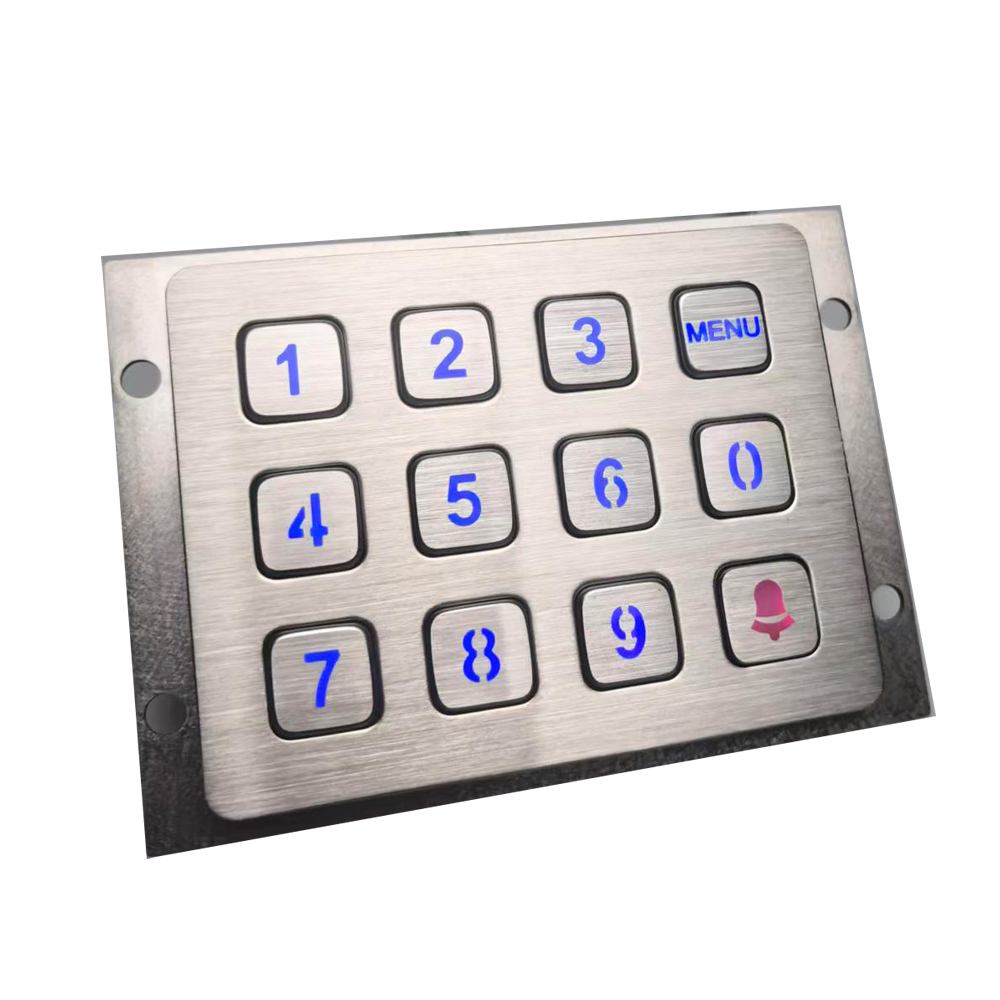
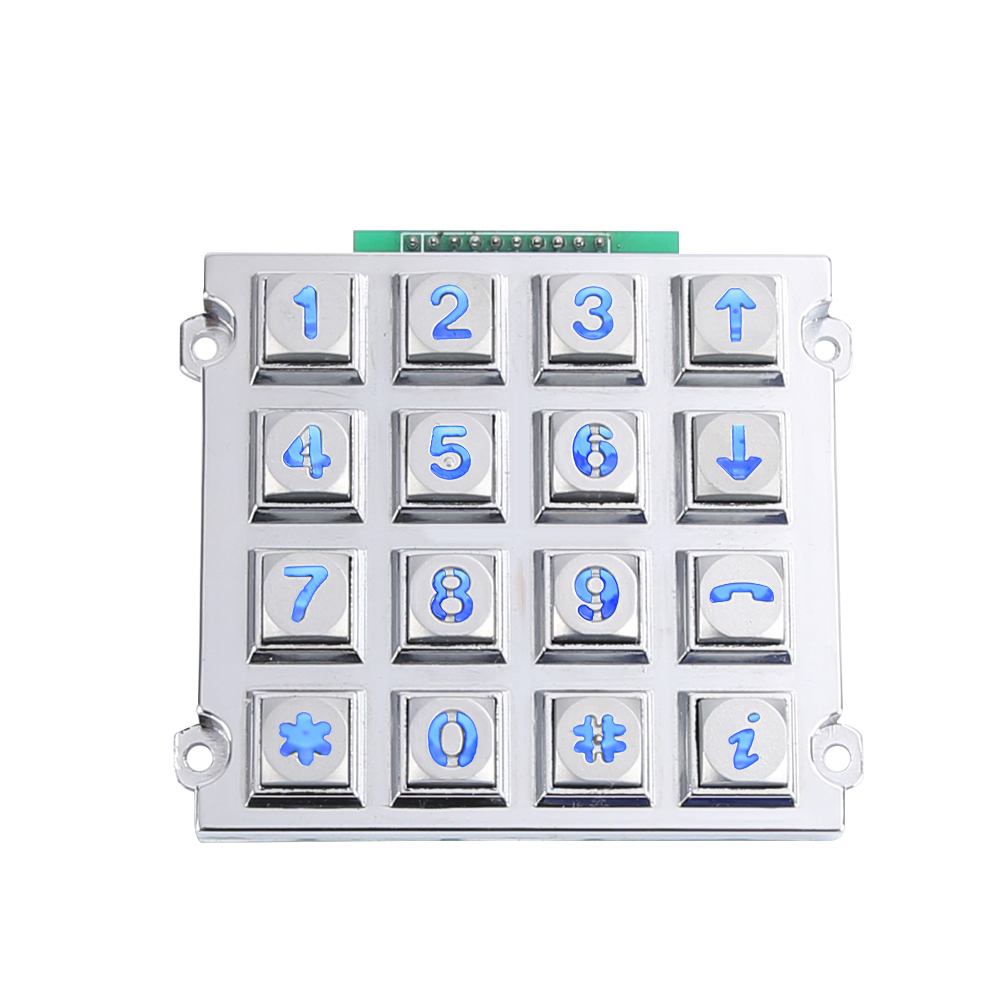
Keypado addresses this by offering custom layouts sized to fit the customer’s panel. A tighter 3×4 grid suits compact kiosks where every millimeter counts. A 4×4 layout gives room for function keys alongside digits on larger control panels.
Get a Custom Metal Keypad Quote From Keypado
Does the interface affect typing speed?
Interface choice shapes how fast a keypad responds once fingers land on the right key. USB and matrix output options simplify integration with an existing controller, which cuts down on lag between keypress and system response. Faster integration means fewer bottlenecks between the physical key and the software reading it.
Layout priorities for speed:
Cluster high-frequency digits near the center of the grid
Keep enter/clear keys distinct in shape or position to avoid mis-taps
Match matrix or USB wiring to the controller already in use
Size the grid (3×4 vs. 4×4) to the panel and hand range of typical operators
What role do function keys play in industrial keypads?
Function keys extend a single button’s job beyond one digit or letter. Layers make this possible: a physical key holds multiple meanings depending on which mode or shift state is active. Most people already rely on this idea without noticing it. A smartphone’s software keyboard, for instance, tucks numbers, symbols, and emoji behind one small layout that shifts on command.
Numeric keypads use this same trick in hardware. Look closely at a standard keypad, and the digits carry printed alternate functions right alongside the numbers. Arrow keys, Home, Page Up, Page Down, End, Insert, and Delete often share space with 0 through 9. That dual-labeling lets one compact grid handle navigation and data entry without adding extra buttons.
Why does engraving matter for function key clarity?
Clear labeling prevents operator confusion, especially in high-stakes or fast-paced environments. Custom engraving lets manufacturers etch function labels directly into the metal surface. Operators see exactly what each key does at a glance. Faded stickers or painted-on symbols wear away under heavy use; engraved metal doesn’t.
How does keypad layout design support multi-function keys?
Keypad layout design determines how many functions a device needs and how those functions get grouped, labeled, and positioned for fast, error-free use. Thoughtful spacing and logical grouping reduce mis-presses on equipment where a wrong input carries real consequences, like access control panels or fuel dispensers.
Keypado builds this flexibility into its core competencies. Custom-configured metal keypads give OEMs room to design function-rich layouts suited to specific equipment needs. Whether a project calls for dedicated navigation keys, mode-switching buttons, or application-specific shortcuts, the layout can be engineered around the actual workflow rather than forced into a generic template.
How do emergency keys need to stand out?
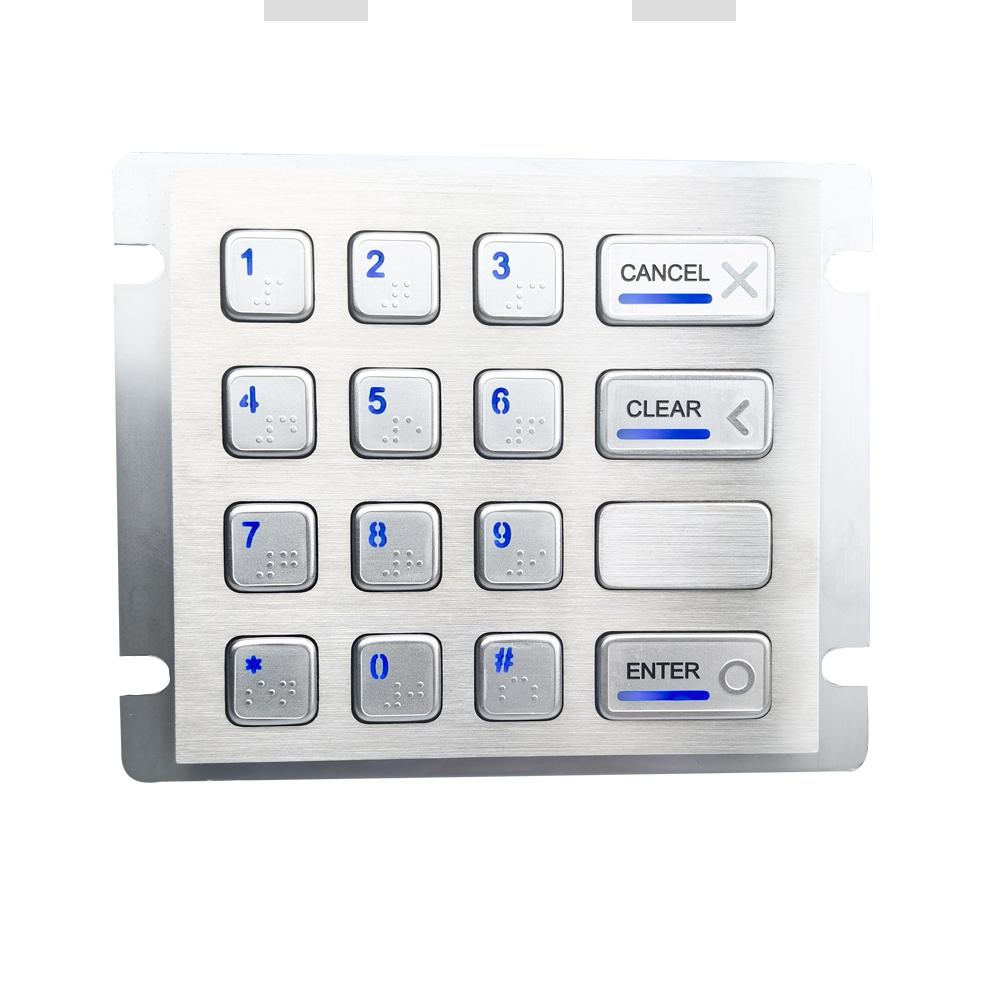
Emergency keys need distinct placement, texture, or color contrast so operators find them instantly under stress, without hunting across the panel. Panic buttons, alarm triggers, and lockdown controls buried among regular number keys cost precious seconds during a crisis. And seconds matter when someone’s safety is on the line.
Reliability matters as much as visibility. An emergency key that fails at the critical moment defeats its entire purpose. Vandal-proof metal keys built into Keypado’s designs survive millions of presses. A panic button tested once during installation still works years later during an actual emergency. That kind of durability isn’t optional for safety-critical controls.
Get a Custom Metal Keypad Quote From Keypado
Why does key placement affect emergency response time?
Placement works the same way touch typing does. Typists learn to keep fingers anchored to a home row so their hands don’t wander searching for common keys. Emergency keys benefit from the same logic: consistent, predictable positioning trains operators’ muscle memory, letting them locate a critical key without looking down.
Does weatherproofing matter for emergency keys?
Outdoor kiosks, fuel dispensers, and access panels face rain, dust, and grime that regular keys weren’t built to handle. Keypado builds keys sealed to an IP65+ rating against dust. Water ingress, keeping emergency functions responsive even in exposed, harsh-weather installations.
Getting emergency key placement right the first time takes careful keypad layout design work. Keypado’s engineering team offers free CAD review, helping OEMs position safety-critical keys precisely before committing to production:
Distinct sizing or raised profile for tactile identification
Isolated placement away from routine input keys
High-contrast color or backlighting for low-light visibility
Sealed construction for continuous field use
What construction features keep layouts reliable long-term?
Consistent manufacturing controls separate a keypad that survives a decade in the field from one that fails within months. Batch inspection and formal quality certification give OEMs proof that every unit leaving the factory matches the tested sample, not just the marketing photo. Keypado backs its keypad layout design work with ISO9001 certification, pairing that standard with batch inspection reports so equipment manufacturers can trust performance consistency across every production run, not just the first one.
Long-term reliability also depends on validating a layout before scaling it. Small-batch samples with fast turnaround let design engineers pilot-test button spacing, key travel, and legend placement under real operating conditions. Catching a layout flaw during a short sampling window costs far less than discovering it after a full production run ships.
Does field history matter when evaluating a keypad supplier?
Deployment history shows whether a construction method actually holds up outside the lab. Keypado’s layouts and build methods carry a track record across more than 200 clients worldwide, spanning access control, vending, and industrial control applications. That breadth of real-world use gives product managers a stronger reliability signal than lab specs alone.
Where does manufacturing precision come from?
Precision starts on the factory floor, not the spec sheet. Keypado designs and manufactures its rugged input devices at its facility in Yuyao, Zhejiang, China, keeping engineering and production under one roof.
Three factors consistently separate durable layouts from short-lived ones:
Certified quality control — ISO9001 standards plus batch inspection catch defects before shipment.
Pilot-tested samples — low-MOQ runs validate a layout before full-scale commitment.
Proven field deployment — a 200-plus client base confirms real-world durability, not just lab claims.
So here’s the thing—getting your keypad layout right isn’t just about arranging buttons. It’s about understanding how your users interact with your equipment under real-world pressure, whether they’re punching in codes during emergencies or navigating routine operations. When you partner with a team that listens to your specific needs. Builds customization into every step, you end up with an input solution that works as hard as your equipment does. That’s the difference between a keypad that merely functions and one that truly performs.
FAQ
Why does keypad layout design matter for OEMs?
Key placement determines how fast and accurately an operator completes a task. Every switch position or printed symbol shapes the operator-machine interaction. Poor layouts lead to support calls, field failures, and costly rework after products ship.
How does an industrial keypad layout differ from a consumer keyboard?
Industrial panels prioritize operator certainty under gloves, glare, vibration, or low light, giving key spacing, legend contrast, and tactile feedback more weight than aesthetics. Keypado builds custom layouts, interfaces, and engraving to match each specific application.
What numeric key arrangement works best for speed?
Fast operation requires placing the most-used keys — 0 through 9 plus enter or clear. Where fingers land naturally, matching the operator’s actual workflow rather than a generic grid. Keypado offers custom 3×4 and 4×4 layouts sized to the panel and task.
 English
  Deutsch
  Français
  Polski
  Português do Brasil
  Español
  日本語
日本語  Русский
  العربية
  Italiano
  Nederlands
  Türkçe
  한국어
한국어