
USB interfaces connect directly to microcontrollers or PCs via parallel communication for plug-and-play simplicity. Dot matrix wiring scans rows and columns for lower-cost, high-density key layouts. Keypado engineers custom metal keypads supporting both USB and matrix interfaces depending on application complexity.
Why Does Interface Choice Matter for OEMs?
Interface selection determines whether a keypad talks to a host system on day one or triggers weeks of firmware rework. Manufacturers build metal keypads with several metal keypad interface options precisely. Engineering teams can match connectivity to existing hardware instead of redesigning around it. Get the interface wrong, and a project loses time, budget, and momentum before a single unit ships.
That variety matters most in equipment where the keypad has to work with a specific controller architecture already locked into a product line. Access control panels, lockers, vending machines, and fuel dispensers each carry their own communication protocols and legacy constraints. Keypado supplies rugged metal keypads built for exactly these categories, giving product developers a component that fits the system rather than forcing the system to adapt.
Get a Custom Metal Keypad Quote From Keypado
Does the wrong interface really slow down a product launch?
Yes — mismatched interfaces are a common source of late-stage delays. A keypad that doesn’t align with the host’s communication protocol forces teams to add adapters, rewrite drivers, or swap hardware mid-project. That’s lost engineering time nobody budgeted for.
OEM/ODM engineering support addresses this directly. Working with a manufacturer that offers this kind of support shortens development timelines. Improves reliability once equipment reaches the field. Instead of guessing at compatibility, hardware teams get configuration built around the target system from the start.
Custom configuration extends beyond wiring, too. Keypado builds custom layouts, interface types, and engraving into each keypad order, so procurement teams aren’t stuck choosing between “close enough” and “exactly right.” For engineers specifying input devices at scale, that flexibility means fewer redesign cycles and a part that fits the enclosure, the controller, and the application on the first pass.
What Is a Matrix Interface, Exactly?
A matrix interface is a straightforward wiring scheme that links a keypad’s rows and columns directly to a microcontroller. No translator chip, no protocol overhead — just a grid of pins doing the work of parallel communication. Engineers who need a lean, low-latency connection between a keypad and a control board often land here first.
The mechanics are simple. Each key sits at the intersection of a row wire and a column wire. Pressing it closes that specific circuit. A series of pins connects straight to the microcontroller’s input/output pins, letting the controller scan rows and columns to detect exactly which key got pressed. There’s no intermediate protocol translating the signal. The connection is direct, which keeps response times fast and design complexity low.
How does matrix layout affect keypad sizing?
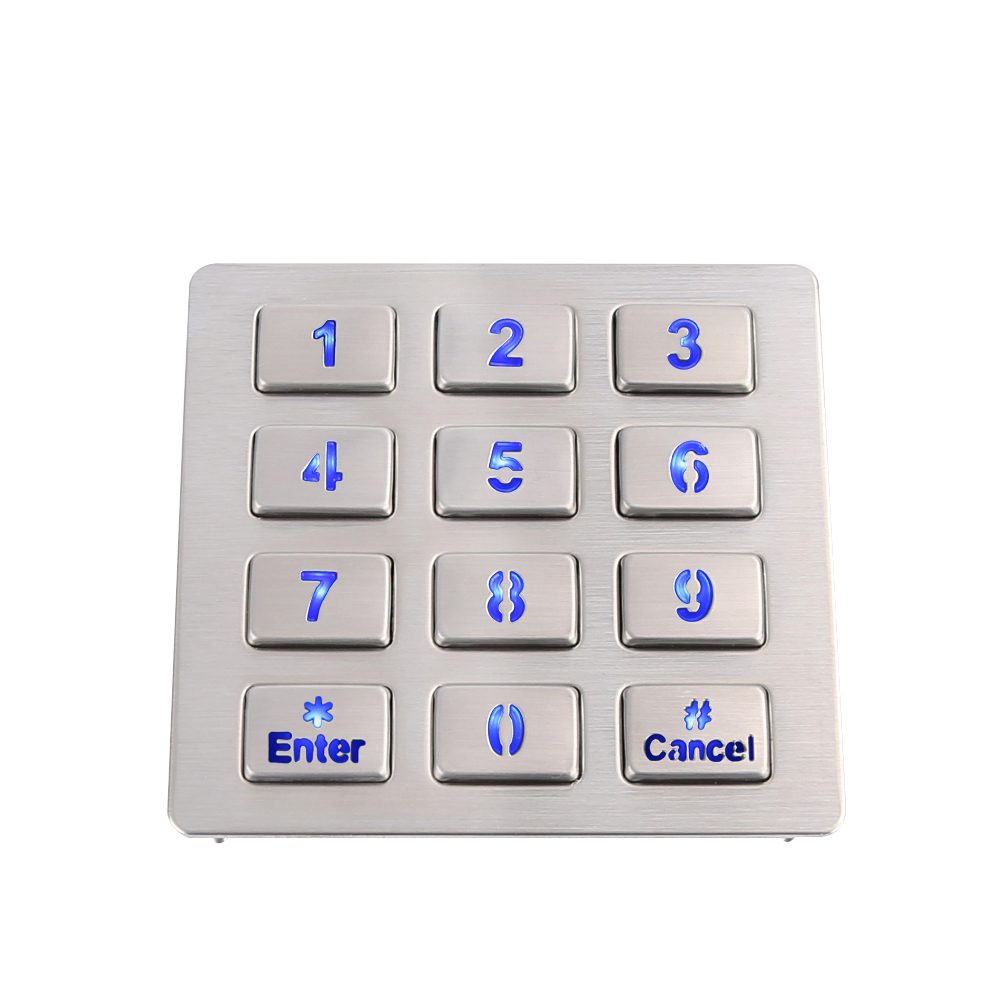
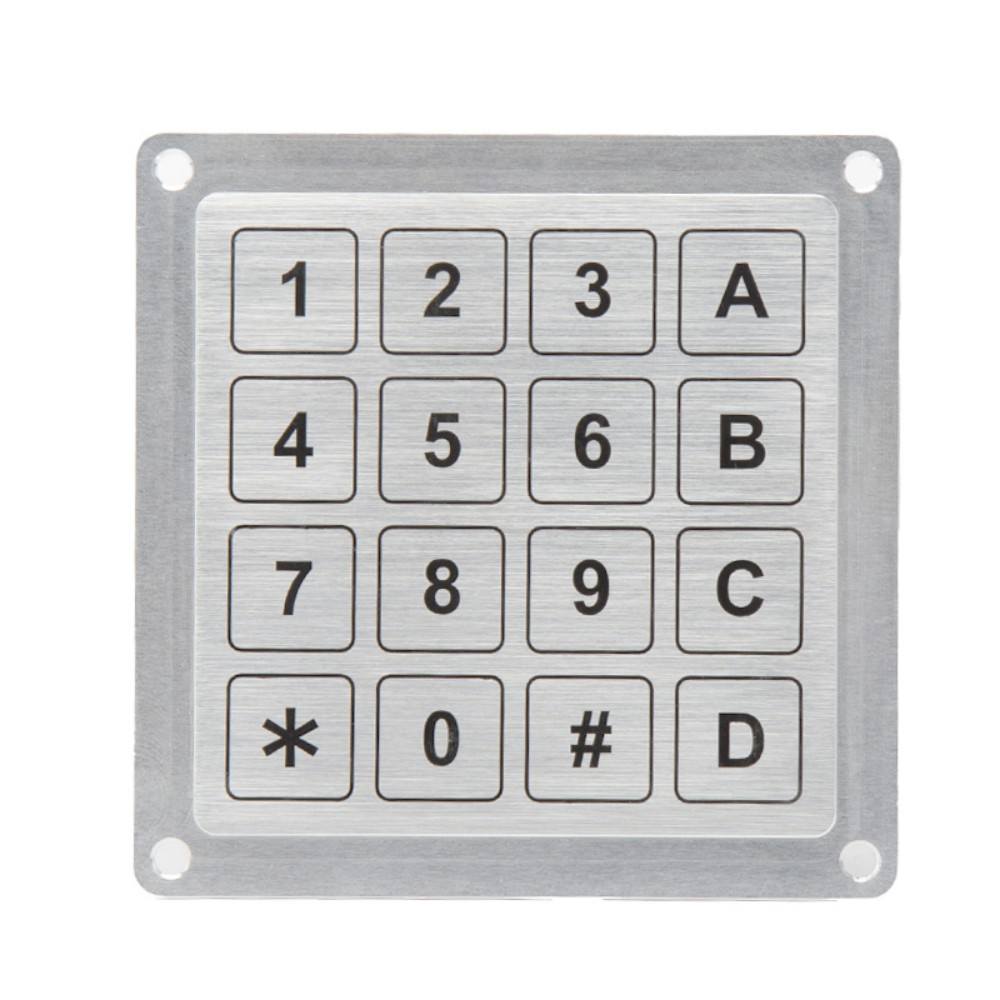
Layout dictates how many pins the design needs and how much panel space the keypad occupies. Keypado builds custom 3×4 and 4×4 matrix layouts specifically sized to fit the equipment panel. Engineers aren’t forced to redesign an enclosure around an off-the-shelf grid.
Can a matrix interface work alongside USB?
Yes — Keypado keypads support both USB and matrix output, giving hardware teams flexibility during integration. That dual-output approach matters for OEM projects:
USB output simplifies plug-and-play integration with existing controllers and PCs.
Matrix output suits embedded designs where a microcontroller handles scanning directly.
Combined support means one keypad platform can serve multiple product lines without redesign.
For procurement teams juggling several equipment platforms, that flexibility cuts down on part-number sprawl and simplifies sourcing across projects.
How Does USB Compare for Metal Keypads?
USB stands out as the most widely adopted metal keypad interface for linking devices to computers, laptops, and other electronics. Engineers reach for it constantly because it removes guesswork from integration. Skip it, and a project risks longer development cycles spent wrestling with custom drivers or proprietary wiring schemes that only a handful of technicians understand.
Speed sets USB apart from older parallel and serial options. Data moves at high transfer rates, and the interface supports plug-and-play functionality. Connect the keypad, and the host system recognizes it without manual configuration. For OEM teams juggling tight production schedules, that kind of simplicity translates directly into fewer support tickets and faster deployment.
Get a Custom Metal Keypad Quote From Keypado
Does USB hold up in harsh industrial environments?
Connector type doesn’t determine ruggedness on its own; the enclosure and sealing do the real work. Keypado builds every keypad, USB-equipped or otherwise, with IP65+ sealing that blocks dust and water ingress. That means a USB keypad mounted on a fuel dispenser or an outdoor kiosk performs just as reliably as one wired through RS485 or Modbus.
Will USB keys wear out under heavy daily use?
Not with the right construction. Keypado’s vandal-proof metal keys withstand millions of presses. High-traffic applications like access control panels or vending terminals don’t see the mushy, unresponsive keys typical of consumer-grade parts. The interface handles data; the metal handles abuse.
For OEM engineers prioritizing quick integration without sacrificing field durability, USB remains a dependable default choice.
Which Interface Fits Your Application Best?
Application requirements decide the answer, not personal preference. A kiosk needing plug-and-play setup calls for a different metal keypad interface than a control panel wired directly into a custom controller. Matching the interface to the deployment environment prevents integration headaches down the road.
Every solid design starts the same way: a custom keypad PCB ties the key layout, switch matrix, controller, and wired or wireless interface into one production-ready assembly. That unified approach keeps signal paths clean and reduces the chance of mismatched components once the device reaches the field. Engineers who plan the interface early avoid costly rework later.
What makes metal keypads suitable for harsh industrial environments?
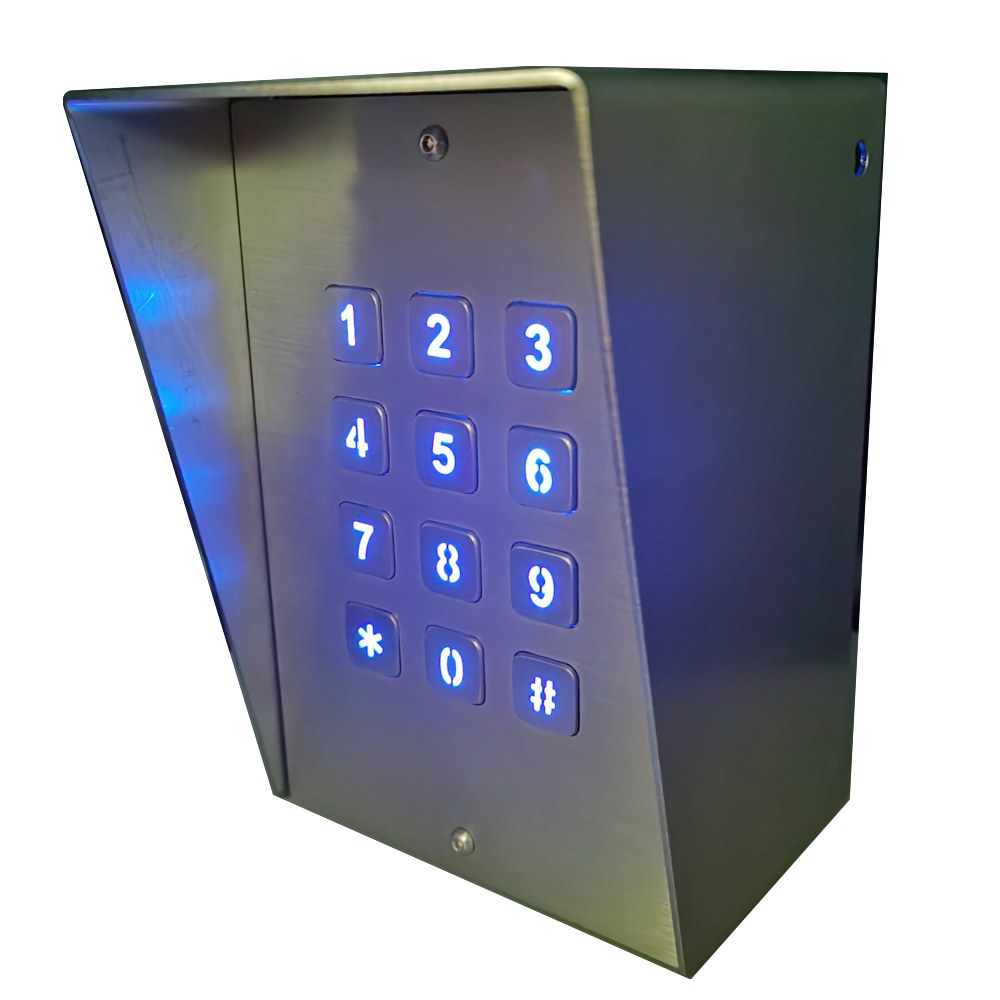
Industrial metal keypads get engineered for robustness, vandal resistance, and consistent operation under demanding conditions. Outdoor kiosks, fuel dispensers, and access panels all face moisture, dust, impact, and constant public use. A keypad built for that kind of punishment keeps working long after standard plastic units fail.
Which materials hold up best for secure input applications?
Compact numeric and function keypads built from stainless steel or zinc alloy deliver secure input for kiosks and lockers. These materials resist corrosion, physical tampering, and the wear of repeated key presses over years of service.
A few practical questions help narrow the interface choice:
Volume and speed: Does the application need fast, simple parallel communication, or higher-throughput data handling?
Legacy compatibility: Will the device connect to older controllers or modern USB-based systems?
Field distance: Is the keypad close to the controller, or does it need a longer-range serial protocol?
Network integration: Does the system require multiple devices talking over a shared bus?
Keypado’s interface designs have proven reliable across more than 100,000 unit deployments, giving OEM teams a track record to lean on when specifying hardware for long-term field use.
What Should You Check Before Ordering Samples?
Sample orders reveal problems that bench testing hides. A prototype can respond perfectly during desk testing, then fail once mounted. A hot-swap socket collides with the enclosure, a diode direction conflicts with the firmware, or a USB-C connector lacks the correct configuration resistor. Procurement teams that skip a structured sample check often discover these mismatches only after tooling costs are already sunk.
Get a Custom Metal Keypad Quote From Keypado
What does a proper sample review actually look for?
Engineers validating a metal keypad interface should confirm four things before greenlighting production: mechanical fit inside the housing, correct diode orientation matched to firmware logic, connector compatibility with the host system, and complete supplier documentation. Missing any one of these often forces a costly redesign cycle later.
How fast can OEM teams get working samples?
Keypado offers low-minimum-order sample runs with a seven-day turnaround, letting engineers validate an interface choice without committing to full production volume. That speed matters for teams working against tight development timelines.
Keypado supports direct engineering collaboration during the sample phase. More than 200 clients worldwide already rely on this sampling process to catch design issues early. They turn into expensive field failures.
So here’s the thing—choosing between USB and matrix interfaces really comes down to understanding your equipment’s needs. How your users will interact with it. Both deliver solid performance in demanding environments. The best choice depends on your specific application, integration requirements, and long-term vision. Whatever direction you go, working with an engineering team that listens to your goals makes all the difference in getting an input solution that works as hard as your equipment does.
FAQ
What’s the main difference between USB and matrix interfaces?
USB connects directly to microcontrollers or PCs via parallel communication for plug-and-play simplicity. Matrix wiring scans rows and columns for lower-cost, high-density key layouts. Keypado engineers both options depending on application complexity.
Why does choosing the right keypad interface matter?
Interface selection determines whether a keypad works with a host system immediately or requires weeks of firmware rework. Mismatched interfaces force teams to add adapters, rewrite drivers, or swap hardware mid-project, causing unbudgeted delays.
Does Keypado support both USB and matrix interfaces?
Yes, Keypado keypads support both USB and matrix interfaces, including custom 3×4 and 4×4 matrix layouts sized to fit specific equipment panels. This flexibility lets engineers match connectivity to existing hardware.
 English
  Deutsch
  Français
  Polski
  Português do Brasil
  Español
  日本語
日本語  Русский
  العربية
  Italiano
  Nederlands
  Türkçe
  한국어
한국어